We make the cameras you already have actually watch.
Praxate marks the areas that matter — the prep line, the gate, the strong room — then messages the owner the moment something happens in one, with the video attached.
Runs on the cameras you already own.
No card during pilot.
A message with the video in it.
The big names send a still frame or a line of text and leave you to go hunting. A still tells you nothing. That is the whole difference.
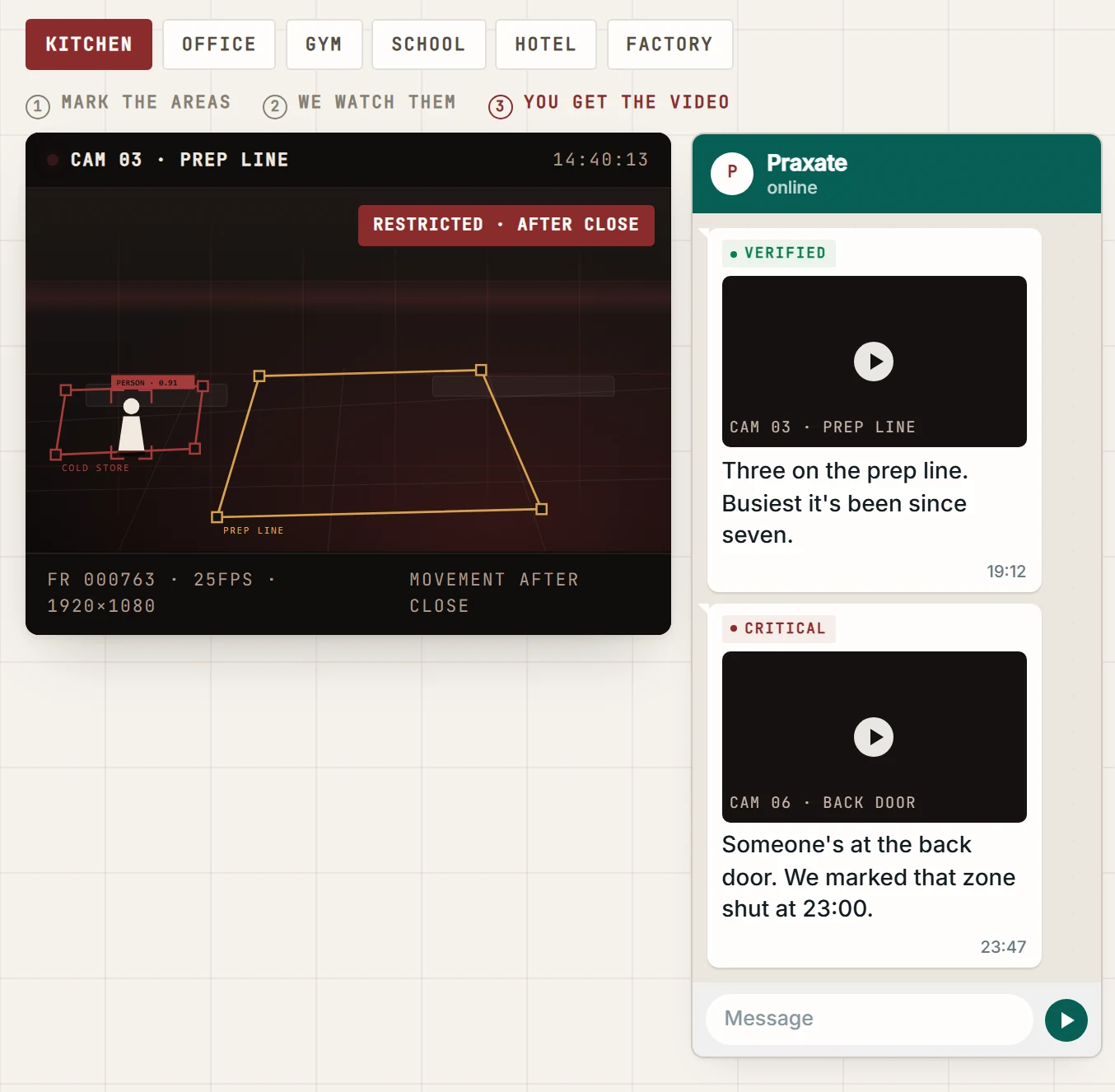
Mark the areas. We watch them. You get the video.
- Always video. Ten seconds, cut around the moment. You watch it, you decide, you get on with your day. No app, no login, no scrubbing a timeline.
- Plain words. "Three on the prep line" — the way you would say it, not the way a machine would log it. One message, one fact.
- On WhatsApp. Where you already are. Put four people on it. Run three premises and they all report to the same phone.
Setting it up takes an afternoon.
We put a panel on site
A small screen we own and set up. It finds your cameras and connects to them. We touch nothing else.
We draw your areas together
The prep line. The gate. The strong room. You tell us what each is for and when it matters.
Alerts start the same day
You give us the numbers. Everything after that we change from here — no second visit.
Per camera, per month
Priced once we have seen the site. Two weeks free on one site first. No contract holding you in.
Same engine underneath. Different things to worry about.
The detection is identical everywhere. What changes is which areas we draw and which of them are allowed to wake you up.
Offices
Reception left unattended. Server room entered out of hours. Live headcount per floor or wing. First in and last out, as a report you can hand to payroll.
Kitchens
Back door opened after close. Prep line unstaffed during service. Someone collapsed and not moving. Every alert keeps its clip, so the FSSAI evidence trail exists before an auditor asks.
Schools & colleges
Crowding at the gate at dispersal. Anyone on the premises after hours. A child down in a corridor. Staff attendance, exportable.
Hotels & resorts
Vehicles at the gate with plates. Lobby crowding before anyone complains. Back-of-house entered by a guest. Roughly how many came through today.
Clinics
Someone down and not moving. Waiting-area crowding. Drug store entered out of hours. Staff attendance, in and out.
Factories & labs
Someone inside a marked machine area. Vehicles and plates at the bay. Headcount per shift, per line. A worker down where nobody can see.
Everything we watch for, and what we don't.
Left runs on customer premises today. Right is being built, and nobody here will promise it on a call. If a competitor lists all of these with no such split, ask which are running on a customer's premises this week.
Live today
- People counting — headcount per area and premises.
- Areas — enter, exit, time spent, any shape you draw.
- Restricted areas — entry alerts on the hours you choose.
- After-hours activity — anything outside your working day.
- Crowding — too many in one place, on your own bar.
- Fall / person collapsed — down and not getting up.
- Vehicles and number plates — gates, bays, forecourts.
- Attendance — in and out, exportable.
- Footage on demand — ask in words, get the clip.
In build — not promised
- PPE and hygiene compliance.
- Fire and smoke, early detection.
- Loitering, and queue length at counters.
- Occupancy heatmaps.
- Desk and workstation activity.
- Tailgating through a controlled door.
- Unattended bag or object.
- Guard patrol verification.
Send a voice note. Get the clip back.
Alerts arrive on WhatsApp. You can also send one the other way — typed or spoken, in your own words, spelling optional. Praxate hears it, understands it, searches the last 48 hours and cuts the clip.
- Right now — "How many in the kitchen" · "Show me the entrance" · "Is the office empty"
- Earlier today — "Who came into the lab between 1 and 2am" · "When did the last person leave"
- Pull the video — "Footage of the back gate yesterday 3pm" — then reply yes for the next five minutes.
What 24 hours looks like at a property we actually run
What owners say when we're not in the room.
"I don't have to walk the floor to know who's in. And if somebody's in the office after we've shut, I know that night — not on Monday when someone finally remembers to tell me."
"Shop, hotel, petrol pump. Three places, all of it landing on one phone. Salary day used to be guesswork. Now I know who's actually putting in the hours."
"People were coming in at odd hours and my equipment was paying for it. Now my phone goes off while it's happening, not when I open up next morning."
Paying premises, not pilots: offices, gyms, colleges, cloud kitchens, jewellery showrooms, hotels and fuel stations — on cameras those owners already had.
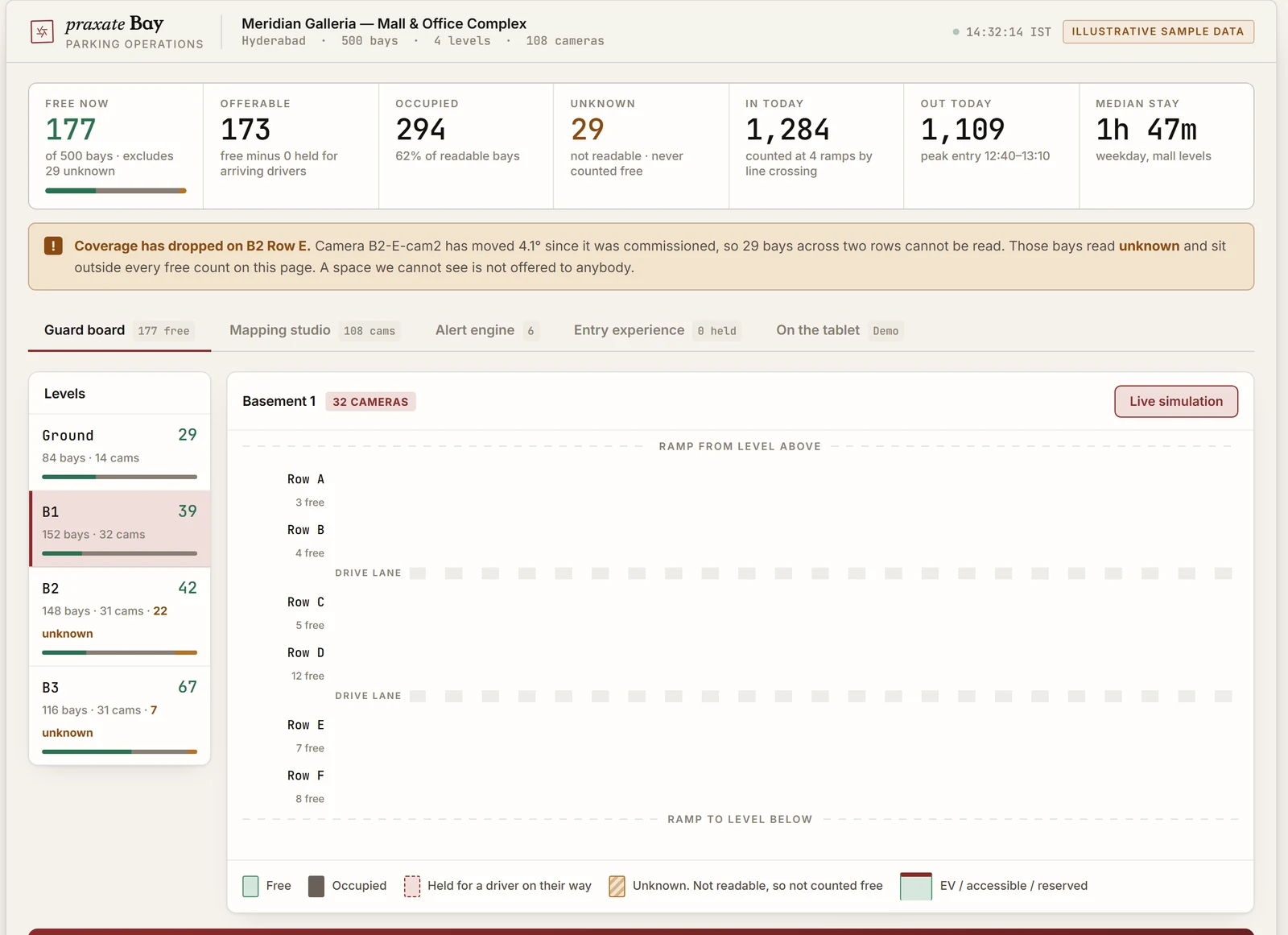
Every bay counted. Every driver placed.
Commercial parking runs on guesswork: a counter at the ramp, a guard waving an arm, and a customer circling B2 for six minutes. Bay reads every space on every level and sends the next car to one of them by name.
Where your video goes.
Nothing left open to the internet
The panel sits inside your premises and reaches your cameras from there, over a private encrypted link. Your camera logins stay yours.
Your own space
Every customer gets their own separate space. Nobody else's system can reach your footage, because the two are never in the same place.
Only the numbers you name
Alerts go to the phones you name and nowhere else. Add someone, drop someone, any day.
Your video isn't our product
We don't sell your footage, share it, or hand it to anyone else. Ask us to delete a premises and we delete it.
From a camera to a phone, in four hops
The panel pulls the stream once. Detection runs continuously — not on a schedule, not on motion triggers. An event must hold across seconds of video, clear the area's rules and not repeat what you were already told. Then the message and its clip.
Greek for doing something about it
Praxis means acting on what you have seen. A camera has been doing theoria in your building for years, faithfully, and it has never once got up and done anything.
The short answers.
What is Praxate?
Praxate makes the cameras you already have actually watch. We mark the areas that matter on your existing CCTV, and the owner gets a WhatsApp message the moment something happens in one — with ten seconds of video attached. No app, no login, no scrubbing a timeline.
What do I actually receive?
A message with the video in it. Ten seconds cut around the moment, in plain words — "Three on the prep line" — on WhatsApp. Median 3.8 seconds from camera to phone. If we cannot cut the clip you still get the message, never a substituted photo.
Do we need new cameras or an app?
No. Praxate runs on the cameras you already own. We put a small panel on site that finds your cameras and connects to them; we touch nothing else. Zero apps to install — alerts and questions both go through WhatsApp.
Can I ask it questions?
Yes. Send a voice note or type in your own words — "Who was in the store room last night?", "How many people are in the kitchen?", "Footage of the back gate at 3pm". Praxate searches the last 48 hours and sends the clip back.
How much does Praxate cost?
Priced per camera per month, once we have seen the site. Start with a free two-week pilot on one site, on your own cameras, against whatever actually goes wrong there. No card during the pilot, no contract holding you in afterwards.
How long does setup take?
An afternoon. We put the panel on site, draw your areas together, and alerts start the same day. Everything after that we change from our side — no second visit.
Where does my video go?
The panel sits inside your premises and reaches your cameras over a private encrypted link. Your camera logins stay yours, every customer has a separate space, alerts go only to the phones you name, and we never sell or share footage. Ask us to delete a premises and we delete it.
What is Praxate Bay?
The same engine pointed at commercial parking. Every bay is mapped once to the camera that covers it; cameras read the bays, not the cars; a screen at the entrance names a free bay. We count empty bays we can actually see — a bay whose camera is down reads unknown and is never offered. 100+ cameras on one server in your building. See the 500-bay demo.
Stop scrubbing footage.
Two weeks on one site, on your own cameras, against whatever actually goes wrong there. We install the panel and draw the areas with you.